Model Launching Instructions#
This document aims to provide a functional overview of model launching.
Replica#
Replicas specify the number of model instances to load. For example, if you have two GPUs and each can host one replica of the model, you can set the replica count to 2. This way, two identical instances of the model will be distributed across the two GPUs. Xinference automatically load-balances requests to ensure even distribution across multiple GPUs. Meanwhile, users see it as a single model, which greatly improves overall resource utilization.
Traditional Multi-Instance Deployment:
When you have multiple GPU cards, each capable of hosting one model instance, you can set the number of instances equal to the number of GPUs. For example:
2 GPUs, 2 instances: Each GPU runs one model instance
4 GPUs, 4 instances: Each GPU runs one model instance
Added in version v1.15.0.
Introduce a new environment variable:
XINFERENCE_ALLOW_MULTI_REPLICA_PER_GPU
Control whether to enable the single GPU multi-copy feature Default value: 1
New Feature: Smart Replica Deployment
Single GPU Multi-Replica
New Support: Run multiple model replicas even with just one GPU.
Scenario: You have 1 GPU with sufficient VRAM
Configuration: Replica Count = 3, GPU Count = 1
Result: 3 model instances running on the same GPU, sharing GPU resources
Hybrid GPU Allocation
Smart Allocation: Number of replicas may differ from GPU count; system intelligently distributes
Scenario: You have 2 GPUs and need 3 replicas
Configuration: Replicas=3, GPUs=2
Result: GPU0 runs 2 instances, GPU1 runs 1 instance
GPU Allocation Strategy#
The current policy is Idle First: The scheduler always attempts to assign replicas to the least utilized GPU. Use the XINFERENCE_LAUNCH_STRATEGY parameter to choose launch strategy.
Set Environment Variables#
Added in version v1.8.1.
Sometimes, we want to specify environment variables for a particular model at runtime. Since v1.8.1, Xinference provides the capability to configure these individually without needing to set them before starting Xinference.
For Web UI.
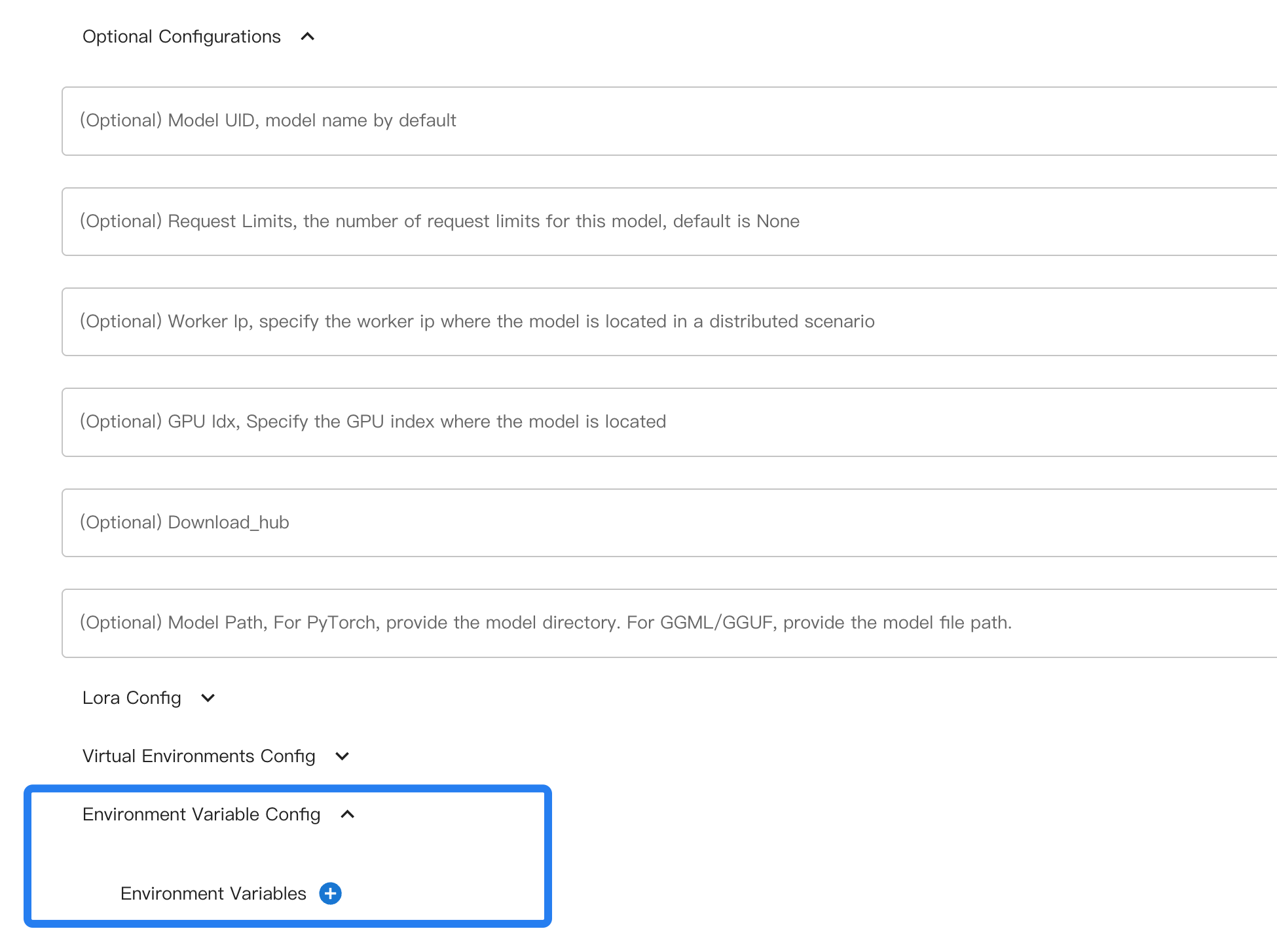
When using the command line, use --env to specify an environment variable.
Example usage:
xinference launch xxx --env A 0 --env B 1
Take vLLM as an example: it has versions V1 and V0, and by default, it automatically determines which version to use.
If you want to force the use of V0 by setting VLLM_USE_V1=0 when launching a model, you can specify this during model launching.
Configuring Model Virtual Environment#
Added in version v1.8.1.
For this part, please refer to toggling virtual environments and customizing dependencies.
Batching / Continuous Batching#
Xinference supports batching for higher throughput. For LLMs on the transformers engine,
continuous batching is available and can be enabled via environment variables at launch time.
Key settings:
XINFERENCE_BATCH_SIZEandXINFERENCE_BATCH_INTERVALfor general batching behavior.XINFERENCE_TEXT_TO_IMAGE_BATCHING_SIZEfor text-to-image models (when supported).
Example (LLM, transformers):
XINFERENCE_BATCH_SIZE=32 XINFERENCE_BATCH_INTERVAL=0.003 xinference-local --log-level debug
xinference launch -e <endpoint> --model-engine transformers -n qwen1.5-chat -s 4 -f pytorch -q none
Example (text-to-image):
XINFERENCE_TEXT_TO_IMAGE_BATCHING_SIZE=1024*1024 xinference-local --log-level debug
For detailed behavior, supported models, and aborting requests, see Continuous Batching.
Thinking Mode#
Some hybrid reasoning models (for example, Qwen3) support an optional thinking mode.
You can enable this at launch time via --enable-thinking.
Example usage:
xinference launch -n qwen3-xxx --model-engine vllm --enable-thinking