

模型加载指南#
本文档旨在提供模型加载的功能说明。
副本#
副本用来指定模型加载的实例份数。比如,你有两张 GPU,每张卡可以放下模型的一个副本,你可以设置副本数为 2。这样,两个完全相同的模型实例将分布在这两张 GPU 上。Xinference 会自动进行负载均衡,确保请求均匀分配到多张卡上。用户看到的仍是一个模型,这大大提升了整体资源利用率。
旧版本多实例部署:
当您拥有多张GPU显卡时,每张显卡可承载一个模型实例,此时可将实例数量设置为等于GPU数量。例如:
2张GPU,2个实例:每张GPU运行一个模型实例
4张GPU,4个实例:每张GPU运行一个模型实例
Added in version v1.15.0.
引入一个新的环境变量:
XINFERENCE_ALLOW_MULTI_REPLICA_PER_GPU
控制是否启用单GPU多副本功能,默认值:1
新功能:智能副本部署
单GPU多副本
新增支持:即使仅有一块GPU,也能运行多个模型副本。
场景:您拥有1个GPU且显存充足
配置:副本数量=3,GPU数量=1
结果:3个模型实例,在同一GPU上运行,共享GPU资源
混合GPU分配
智能分配: 副本数可以不等于GPU数量,系统会智能分配
场景: 你有2张GPU,需要3个副本
配置: 副本数=3,GPU数量=2
结果: GPU0运行2个实例,GPU1运行1个实例
Per-replica placement#
For distributed deployments, replica_config can pin every replica to a
specific worker and optional GPU indexes. Worker addresses must use the full
registered IP:port value. The number of entries must equal replica and
each entry currently supports exactly one worker.
from xinference.client import Client

client = Client("http://localhost:9997")
model_uid = client.launch_model(
    model_name="qwen2.5-instruct",
    model_engine="vllm",
    replica=2,
    replica_config=[
        {
            "replica_uid": "primary",
            "devices": [
                {
                    "worker_ip": "192.168.1.10:9978",
                    "n_gpu": 1,
                    "gpu_idx": [0],
                }
            ],
        },
        {
            "replica_uid": "secondary",
            "devices": [
                {
                    "worker_ip": "192.168.1.11:9978",
                    "n_gpu": 1,
                    "gpu_idx": [0],
                }
            ],
        },
    ],
)
The same placement can be supplied to xinference launch as a JSON array:
xinference launch \
  --model-name qwen2.5-instruct \
  --model-engine vLLM \
  --replica 2 \
  --replica-config '[{"replica_uid":"primary","devices":[{"worker_ip":"192.168.1.10:9978","n_gpu":1,"gpu_idx":[0]}]},{"replica_uid":"secondary","devices":[{"worker_ip":"192.168.1.11:9978","n_gpu":1,"gpu_idx":[0]}]}]'
--replica_config remains available as a compatibility alias, but
--replica-config is recommended. If --replica is omitted, the CLI
derives it from the number of array entries. If it is supplied explicitly, it
must equal that number.
replica_config is mutually exclusive with the model-level worker_ip,
n_gpu, and gpu_idx arguments, and with n_worker > 1. The CLI
therefore rejects --replica-config together with --worker-ip,
--gpu-idx, a non-auto --n-gpu, or --n-worker greater than 1.
Each replica currently targets exactly one worker. If replica_uid is
omitted, Xinference assigns the stable default
{model_uid}-{replica_index} (for example, my-model-0). Omit gpu_idx
and use n_gpu="auto" to let the selected worker allocate GPUs
automatically.
Running models can be scaled by one or more replicas in a single operation. The new replicas reuse the existing launch configuration by default. You can override their model engine and device allocation without changing existing replicas. Placement is optional; if omitted, the supervisor selects a worker automatically.
result = client.add_model_replica(model_uid)

scale_result = client.add_model_replica(
    model_uid,
    replica=2,
    model_engine="vllm",
    n_gpu=1,
)

result = client.add_model_replica(
    model_uid,
    replica_config={
        "replica_uid": "burst-capacity",
        "devices": [
            {
                "worker_ip": "192.168.1.12:9978",
                "n_gpu": 1,
                "gpu_idx": [1],
            }
        ],
    },
)

remaining = client.terminate_model_replica(
    model_uid, replica_id=result["replica_id"]
)
For multiple replicas, replica_config may also be a list with one placement
entry per new replica. If any replica in a multi-replica scale-up fails to
launch, Xinference rolls back the replicas created by that operation.
Scale-up is not supported for Xavier-distributed models or models launched with
n_worker > 1. Deleting the last replica terminates the running model.
混合分配策略#
当前策略为 空闲优先 :调度器始终尝试将副本分配至最空闲的GPU。使用 XINFERENCE_LAUNCH_STRATEGY 参数选择启动策略。
设置环境变量#
Added in version v1.8.1.
有时我们希望在运行时为特定模型指定环境变量。从 v1.8.1 开始,Xinference 提供了单独配置环境变量的功能,无需在启动 Xinference 前设置。
针对 Web UI。
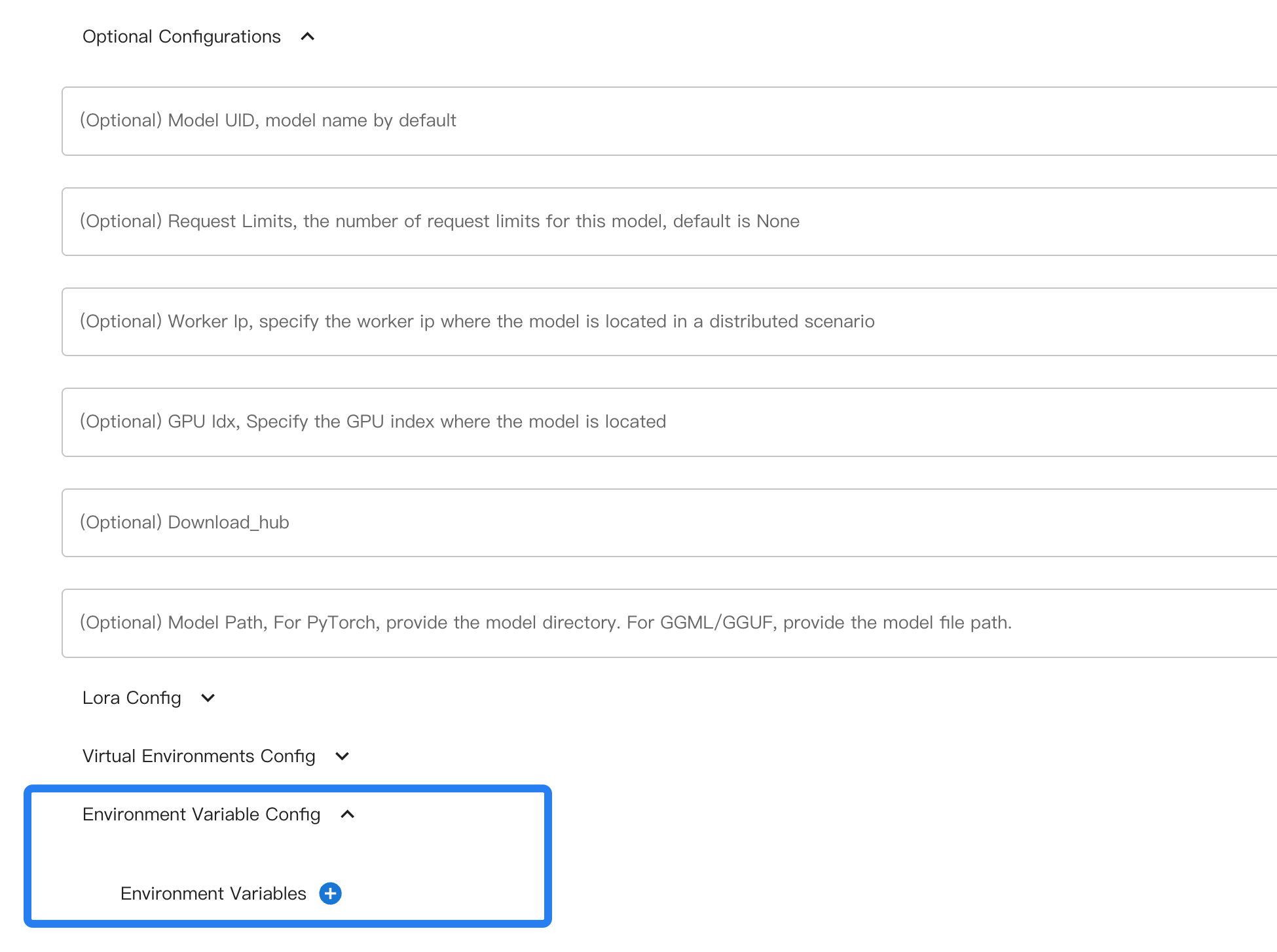
命令行使用时,使用 --env 指定环境变量。
示例用法:
xinference launch xxx --env A 0 --env B 1
以 vLLM 为例,它有 V1 和 V0 两个版本,默认会自动判定使用哪个版本。如果想在加载模型时强制通过设置 VLLM_USE_V1=0 来使用 V0,可以指定该环境变量。
配置模型虚拟空间#
Added in version v1.8.1.
对于这部分,请参考 开关虚拟空间和定制依赖。
批处理 / 连续批处理#
Xinference支持批处理以提升吞吐量。对于基于 transformers 引擎的大型语言模型,可启用连续批处理功能,该功能可在启动时通过环境变量进行配置。
关键设置:
XINFERENCE_BATCH_SIZEandXINFERENCE_BATCH_INTERVALfor general batching behavior.XINFERENCE_TEXT_TO_IMAGE_BATCHING_SIZEfor text-to-image models (when supported).
示例(大型语言模型,Transformers):
XINFERENCE_BATCH_SIZE=32 XINFERENCE_BATCH_INTERVAL=0.003 xinference-local --log-level debug
xinference launch -e <endpoint> --model-engine transformers -n qwen1.5-chat -s 4 -f pytorch -q none
示例(文生图):
XINFERENCE_TEXT_TO_IMAGE_BATCHING_SIZE=1024*1024 xinference-local --log-level debug
有关详细行为、支持的模型以及中止请求的信息,请参阅 连续批处理 。
思考模式#
某些混合推理模型(例如Qwen3)支持可选的 思考模式 。您可在启动时通过 --enable-thinking 参数启用该功能。
示例用法:
xinference launch -n qwen3-xxx --model-engine vllm --enable-thinking